Design the report. Export the Power BI project.
Power BI Theme Generator & Report Designer
ZiePie is a visual studio for Power BI. Build a brand theme with a live preview, lay out multi-page reports from real dashboard layouts, and export a complete .pbip — theme, pages, backgrounds, visuals and a working data model — that opens straight in Power BI Desktop.
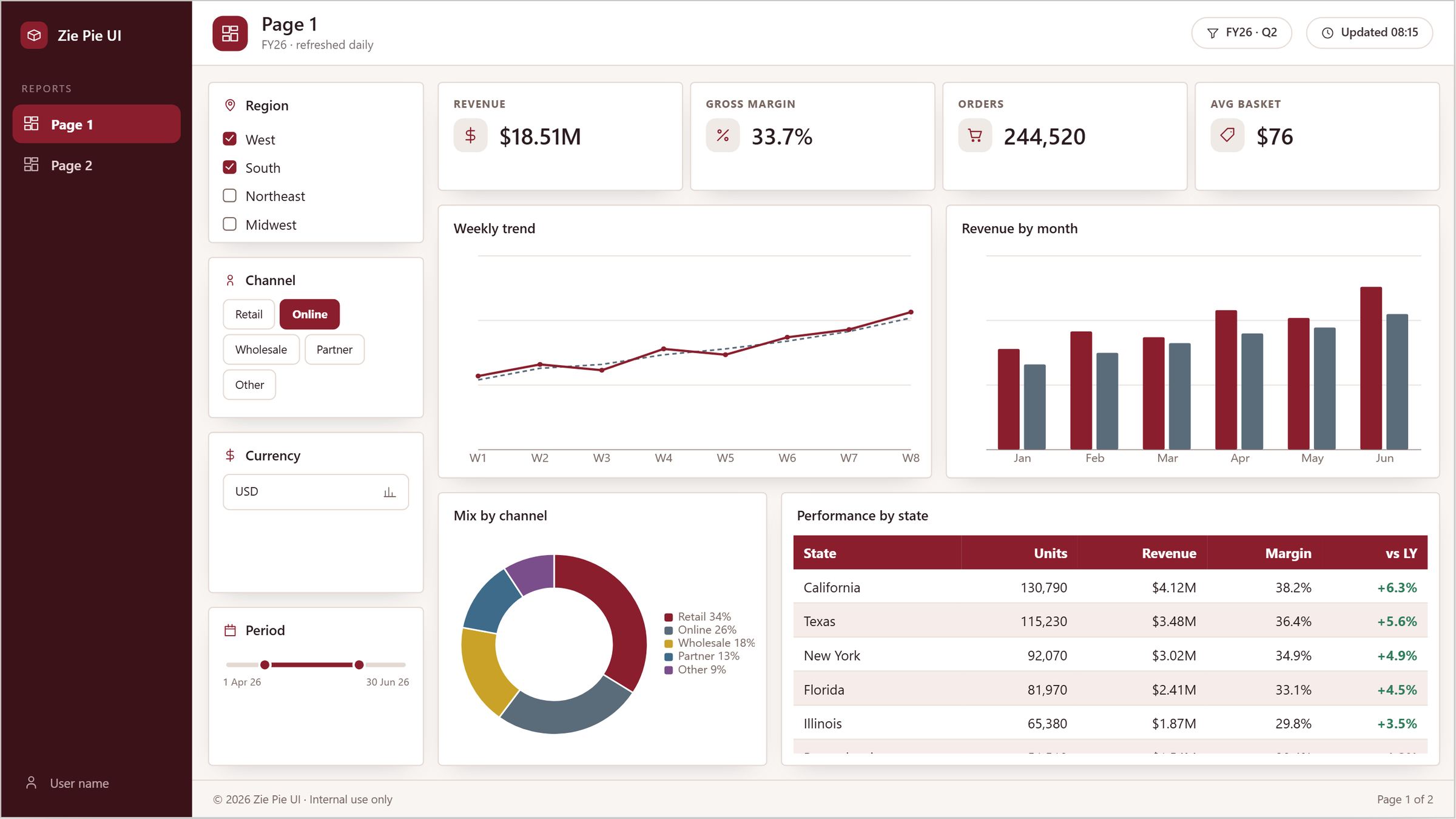
Three steps, one afternoon
.pbip, open it in Power BI Desktop, connect your data. Slicers already filter, because a sample model ships inside.12 presets. 21 layouts.
Start from a preset, end with your brand. Start from a real dashboard layout, not a blank grid.
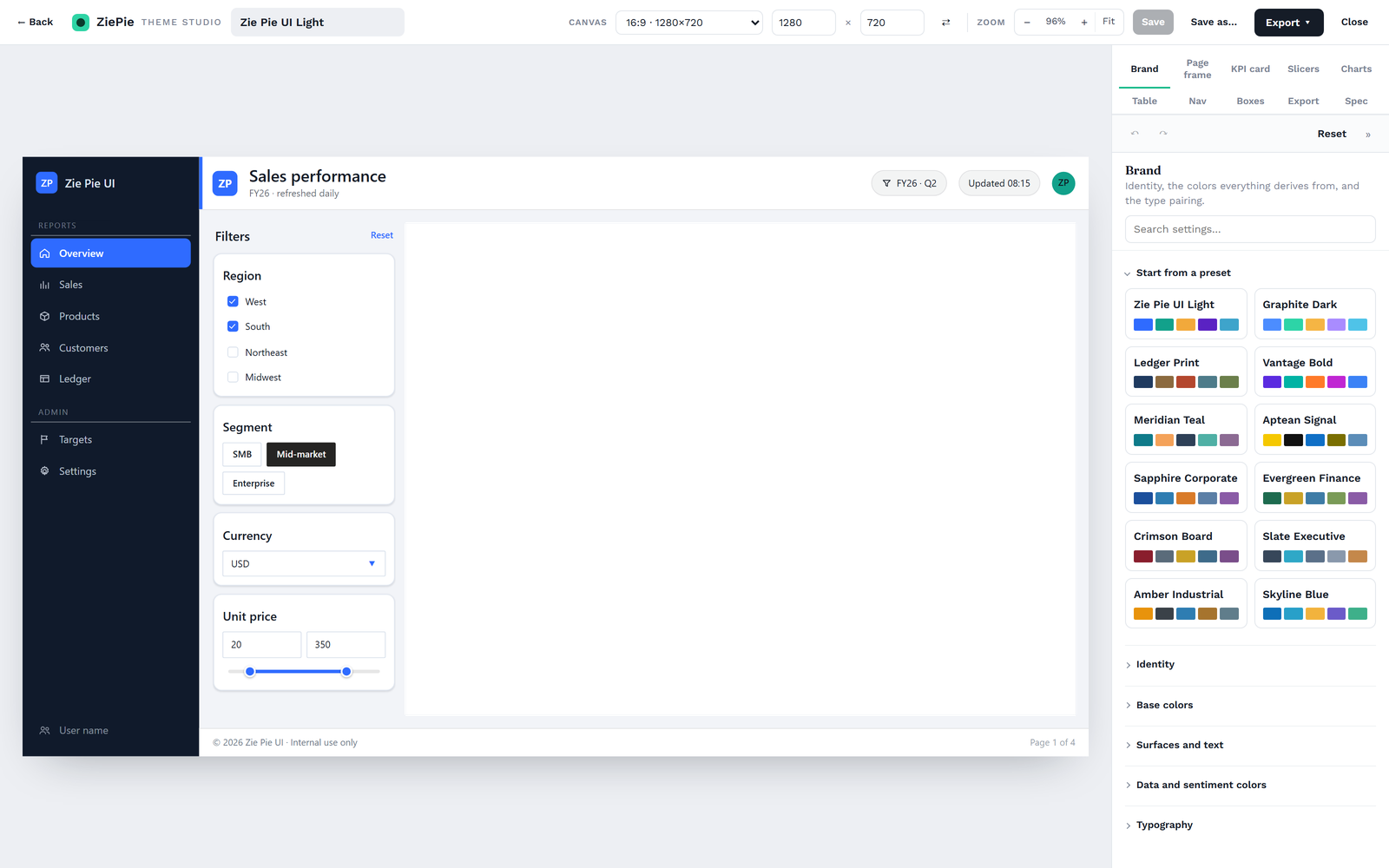
A theme editor with a real report on the canvas
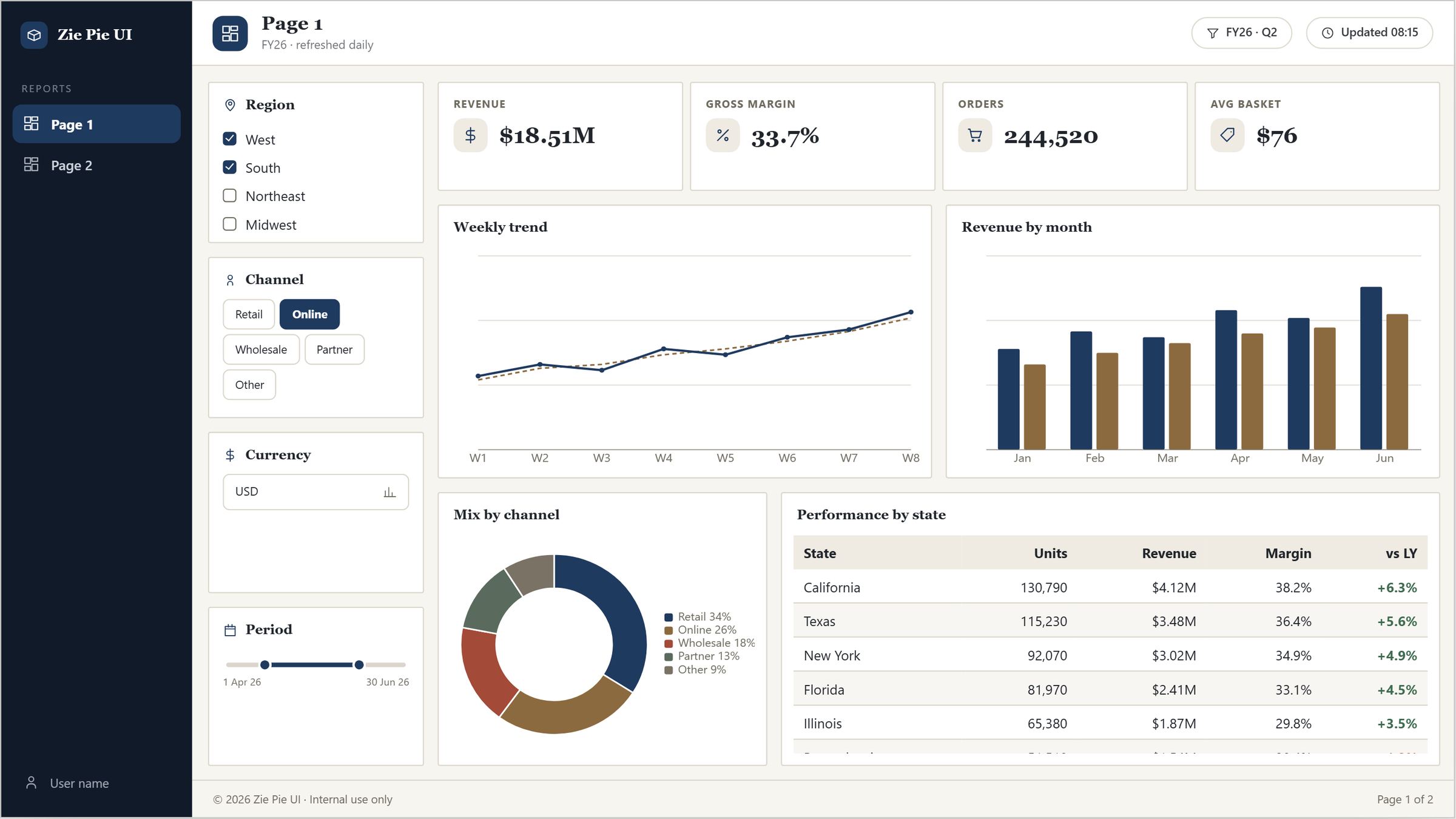
Change a colour, a font or a corner radius and watch a full sales dashboard — KPI cards, slicers, table, waterfall, nav rail — restyle live. Every setting maps to a property Power BI's theme schema actually offers, so what you see is what Power BI renders. Start from one of twelve presets or from your brand colours.
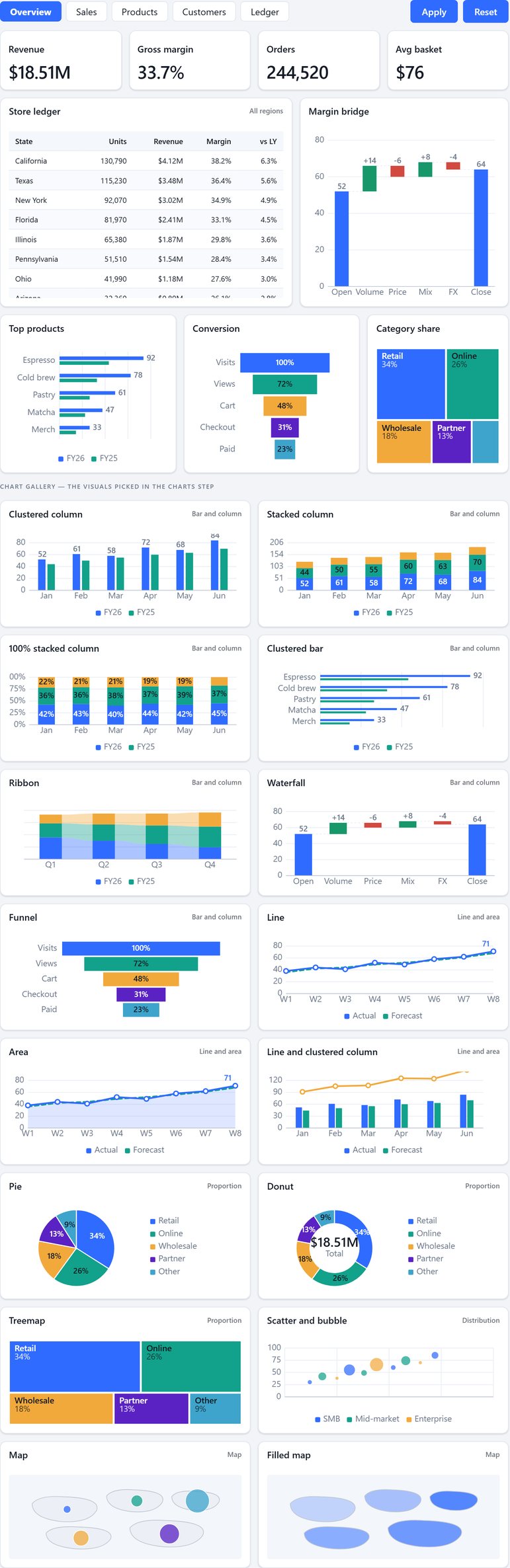
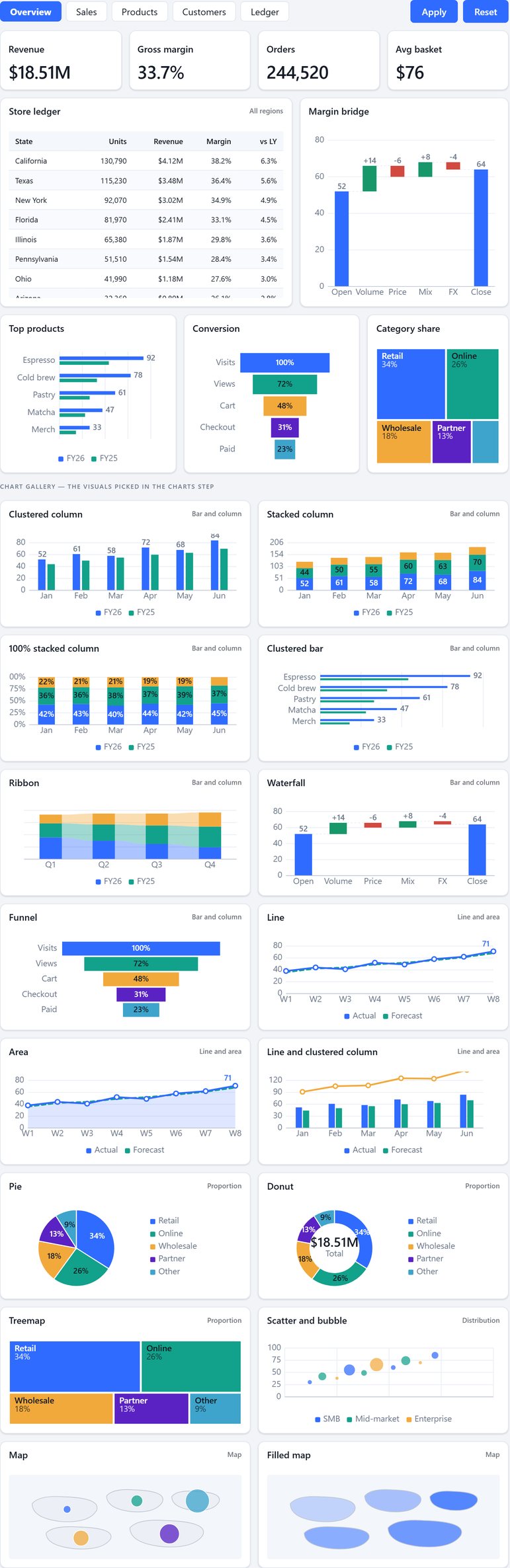
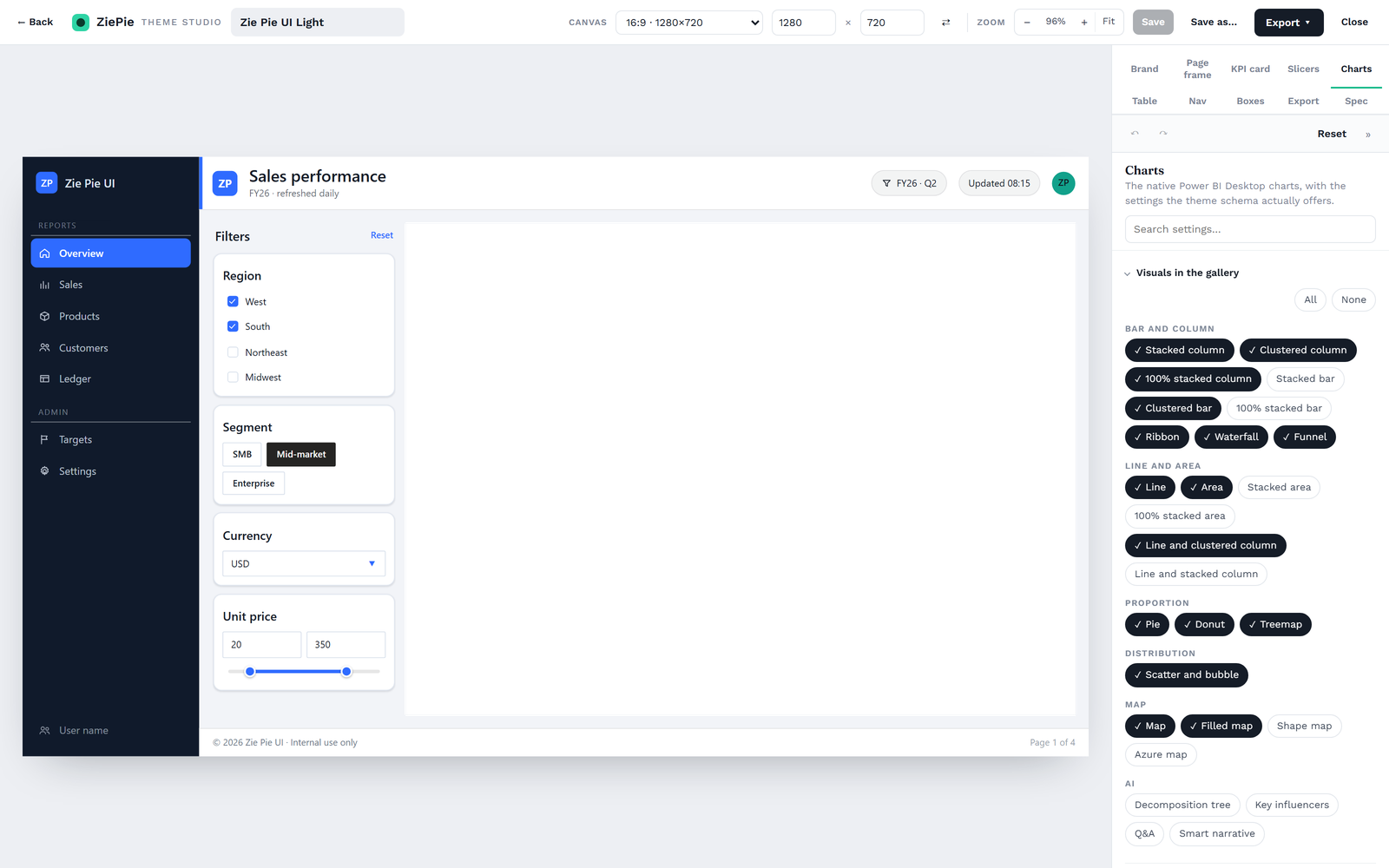
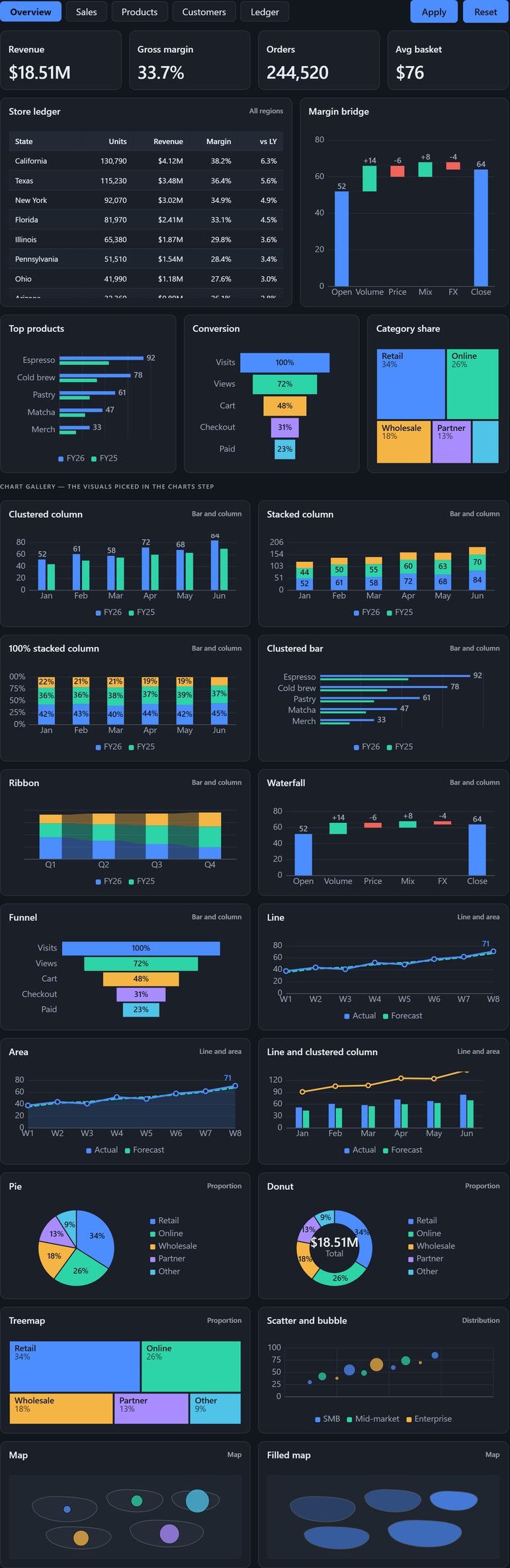
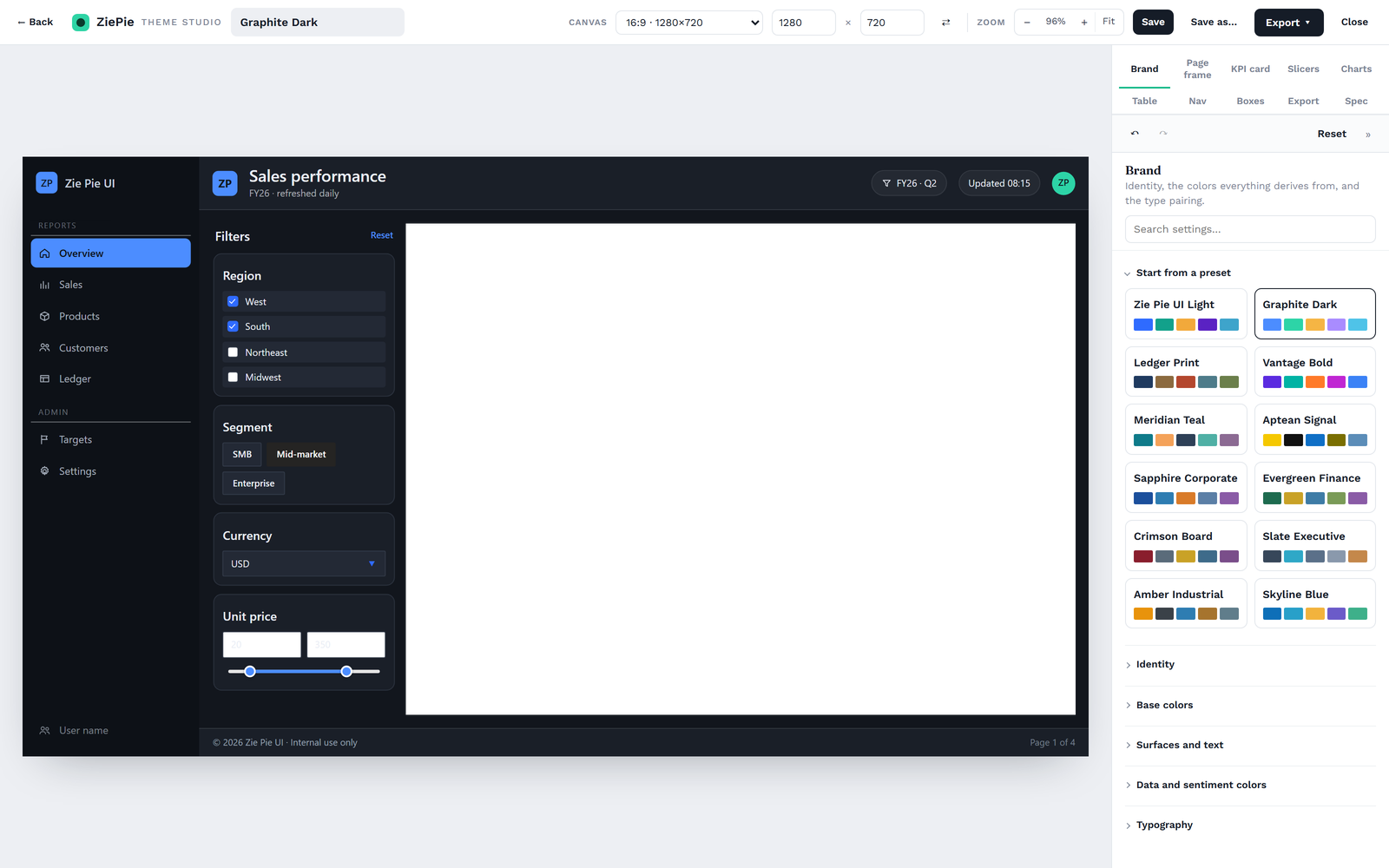
| Live preview | A full dashboard page (nav rail, header, filters, four KPI cards, table, waterfall, product bars, funnel, category share) re-renders on every change. |
| Sections | Brand · Page frame · KPI card · Slicers · Charts · Table · Nav · Boxes · Export · Spec. |
| Presets | 12 built-ins; "start from a preset" in the editor and on the library. Import an existing theme.json to edit it. |
| Chart gallery | 27 native visuals: bar and column (8), line and area (6), proportion (3), scatter, maps (4), AI (4). |
| Search, history | One search box across ~180 properties in 18 groups. Undo, redo, reset, built-in self-check. |
| Export | Power BI theme JSON, page background SVG or PNG, CSS variables, Theme Studio config. |
Multi-page reports on a canvas, not a grid of settings
Drop in KPI strips, slicer panels, tables and charts, or start from 21 real dashboard layouts. Drag, resize with a live size badge, snap to grid, align, arrange and lock. Every element has its own inspector; every page has its own header, icon and slicer dock; one click switches the whole report to another theme.
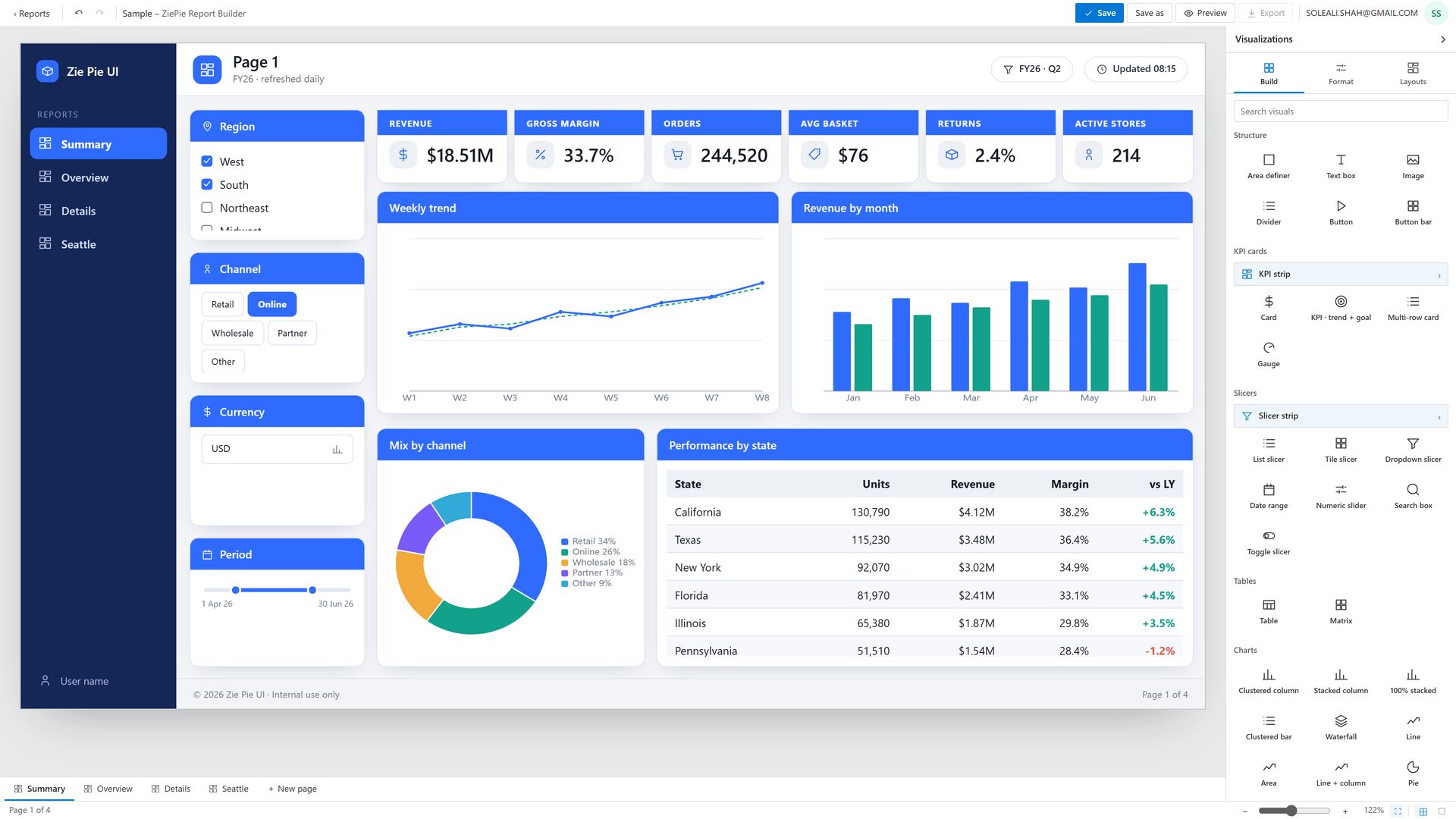
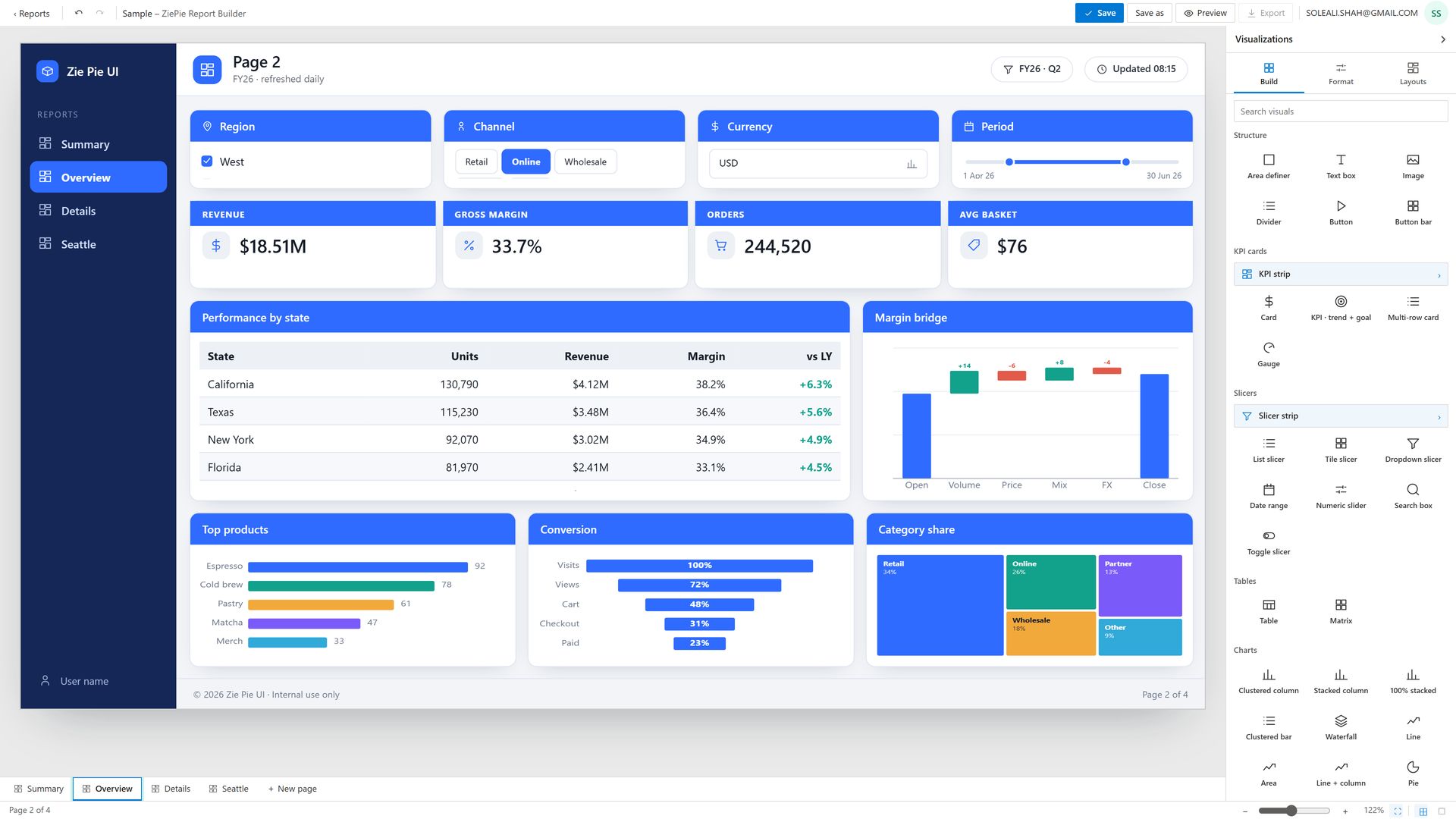
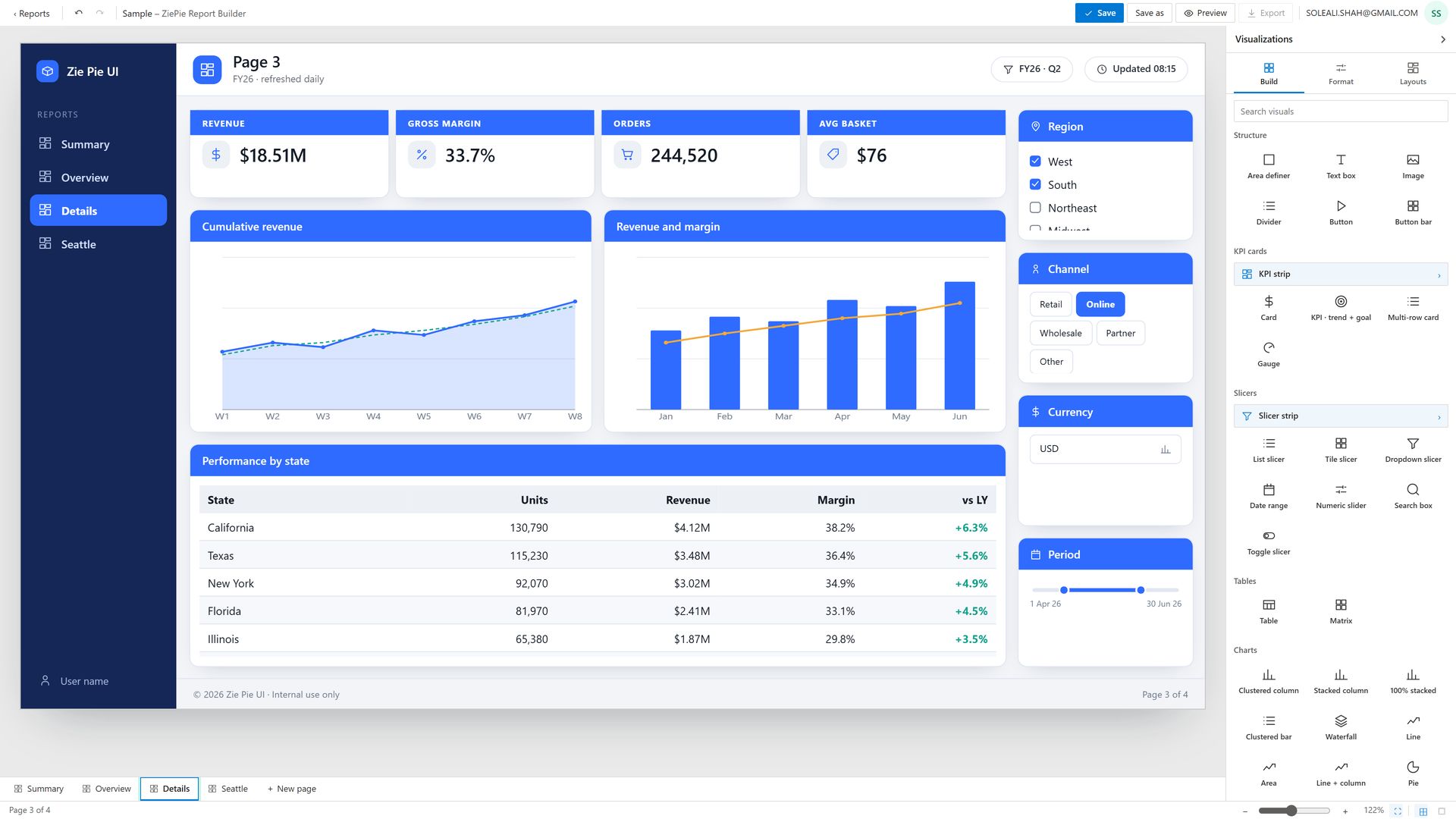
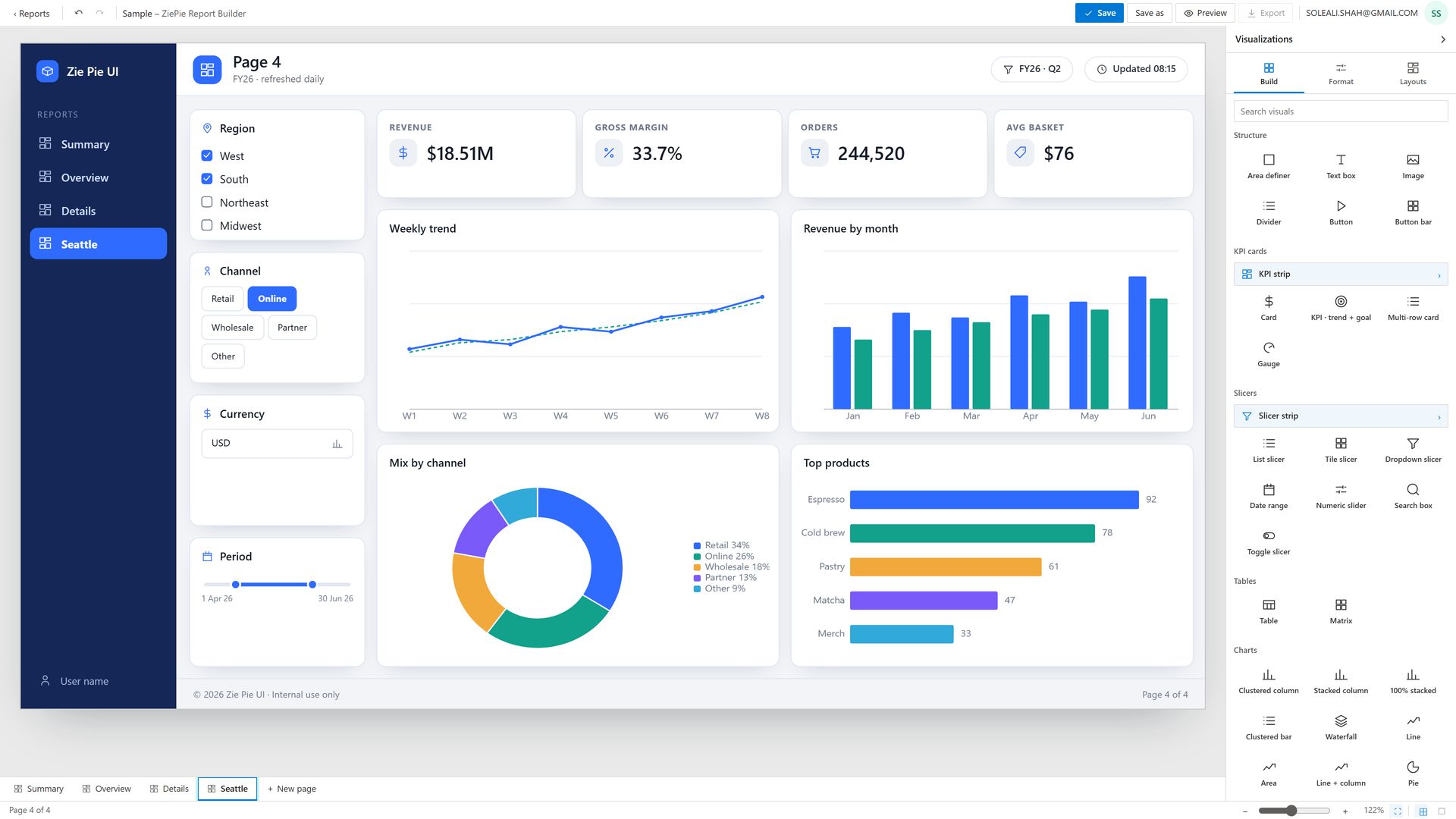
| Layouts | 21 per-page layouts — Executive overview, Detail grid, Filters right, Two-row KPI wall, KPI rail left, Table focus, Trend hero, Half and half, Quad grid, Three column, Dense six, Story, Comparison, Funnel flow, Finance pack, Proportion mix, Matrix deep-dive, Scorecard, Distribution, Minimal clean, Blank. |
| Elements | 40 types — Structure 6 · KPI cards 5 · Slicers 8 · Tables 2 · Charts 19. |
| Inspector | Element / Page / Chrome / Theme / Pages tabs — position and size, alignment, lock, arrange, duplicate, delete. |
| Page and chrome | Name, title rows, icon, density, snap-to-grid, title-background rules, slicer dock; brand mark, nav rail links, header chips, footer. |
| Persistence | Save, Save as…, autosaved draft, and a saved-report shelf with real first-page miniatures. |
A Power BI project, not a picture of one
One click produces a .pbip that opens in Power BI Desktop: every page as a pixel-accurate background, every visual placed as a live Power BI visual over it, your theme registered, and a star-schema sample model so slicers already filter. Long exports run in the background and stay downloadable for 30 days.
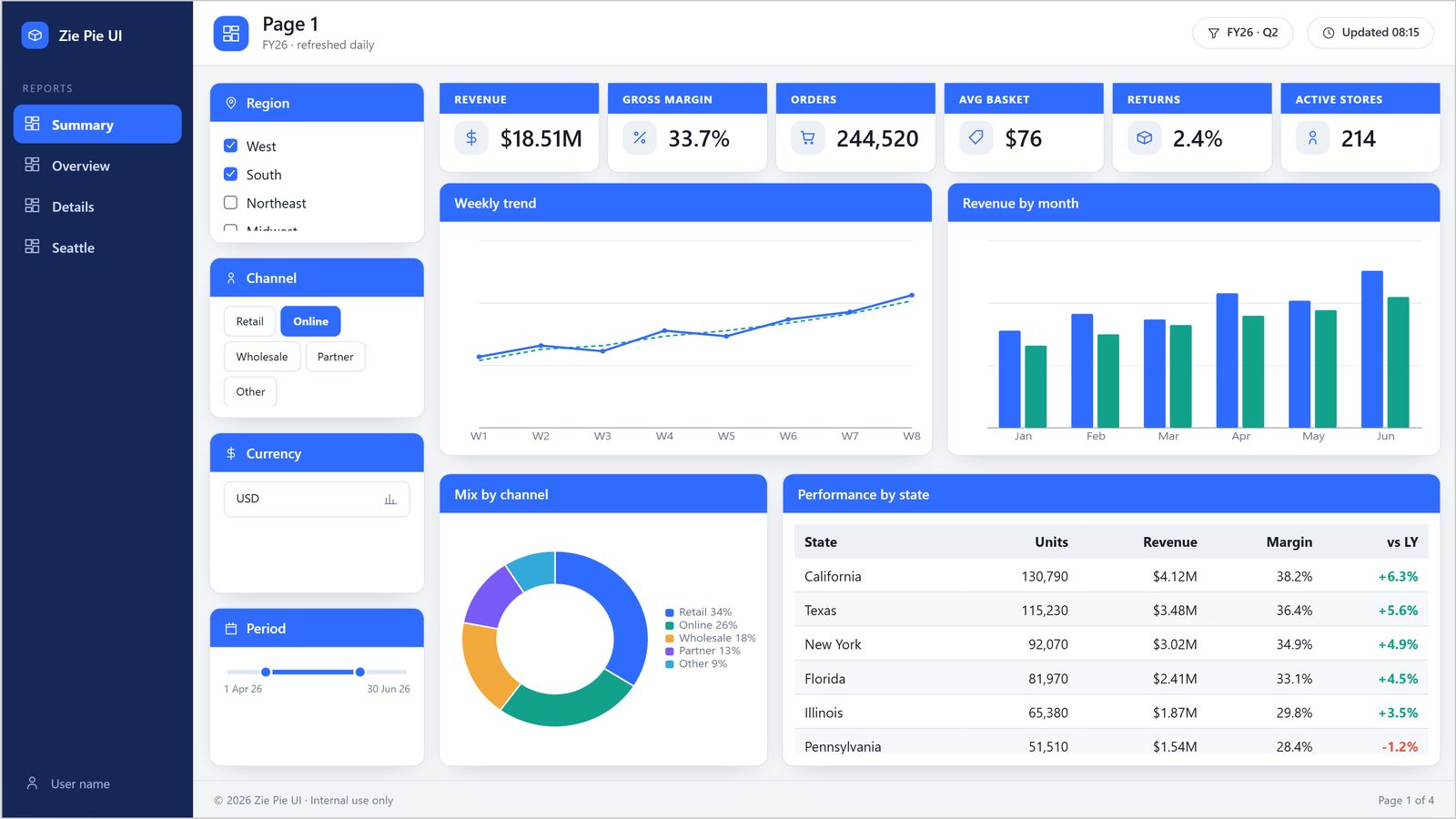
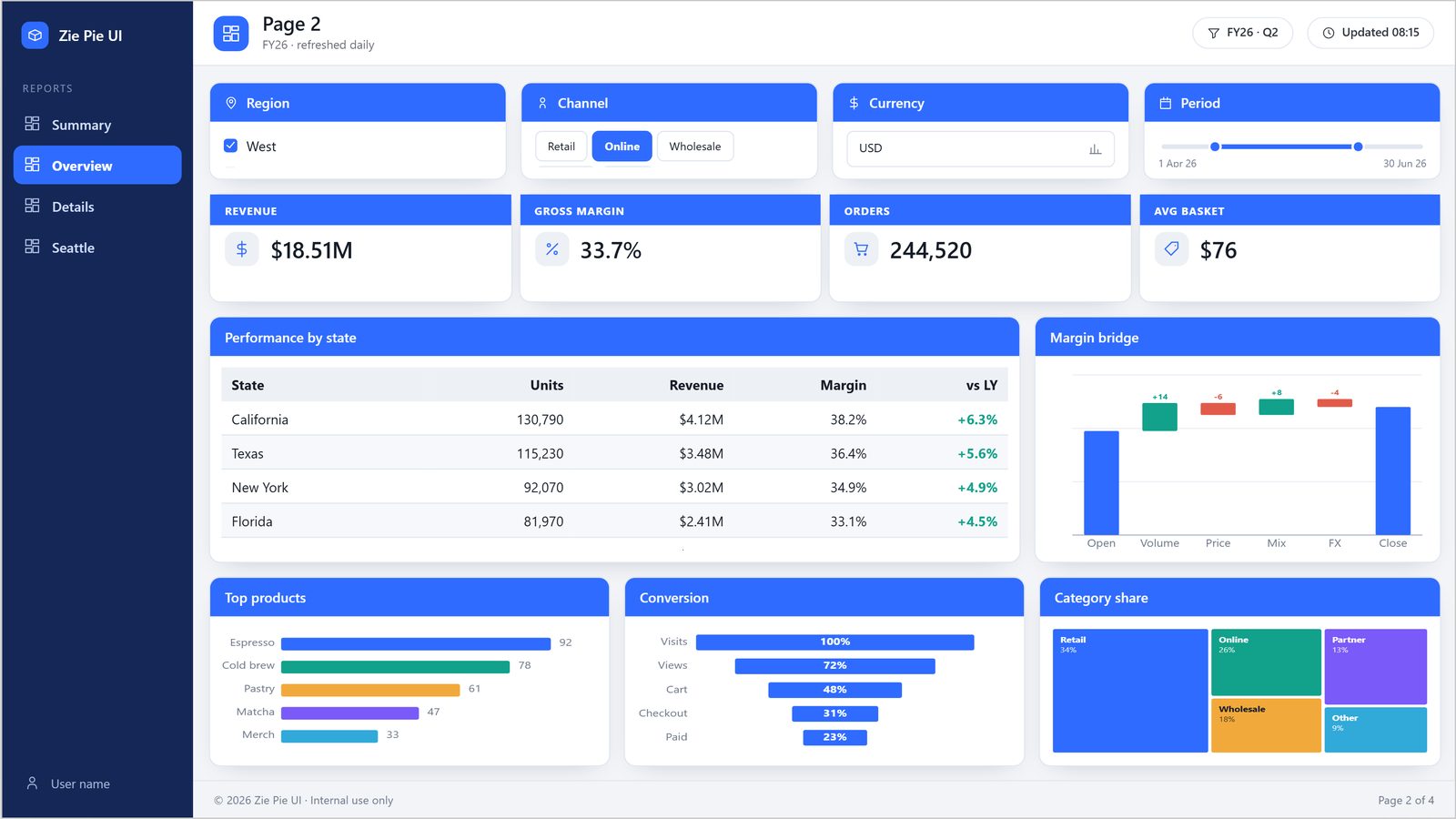
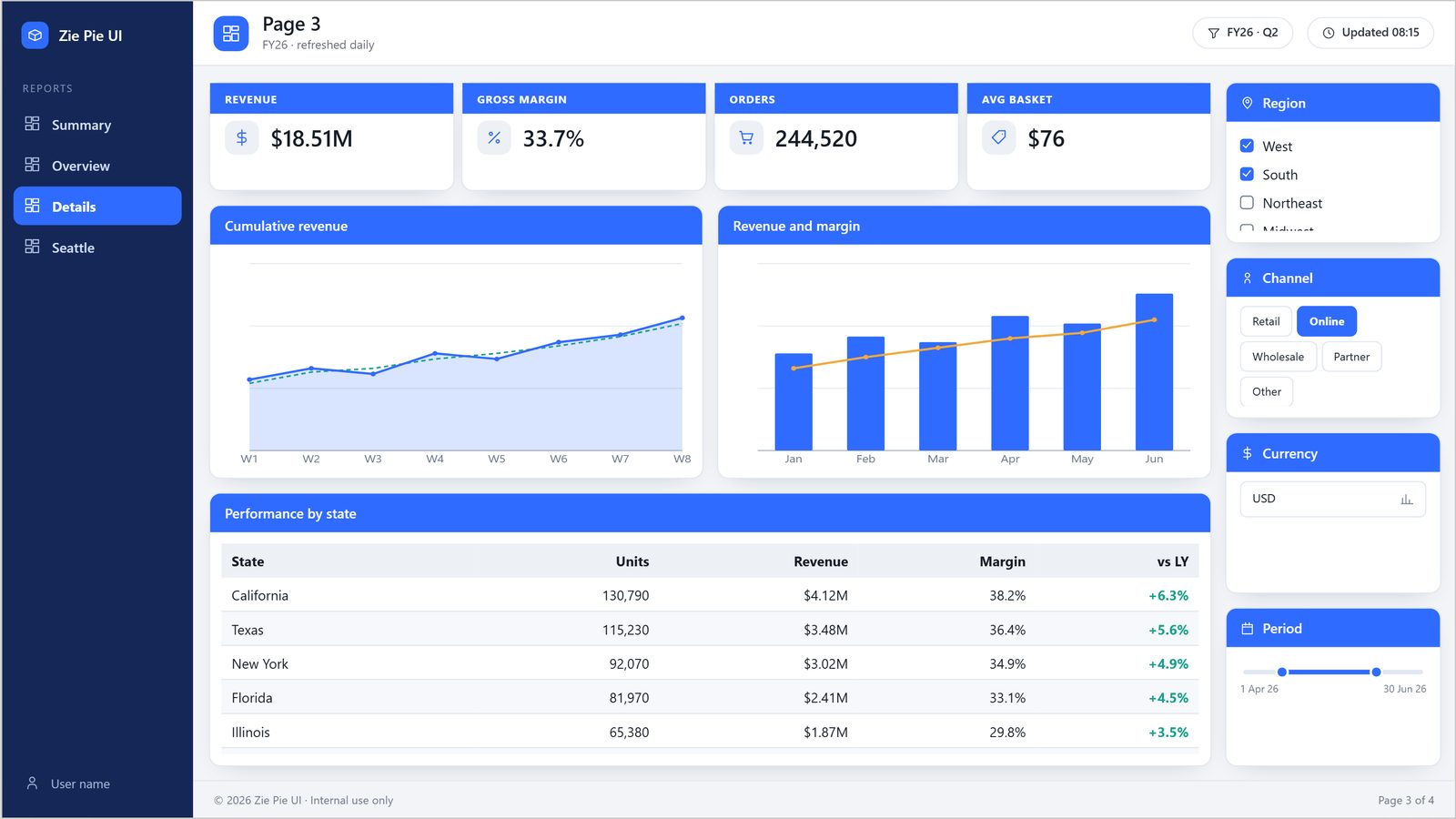
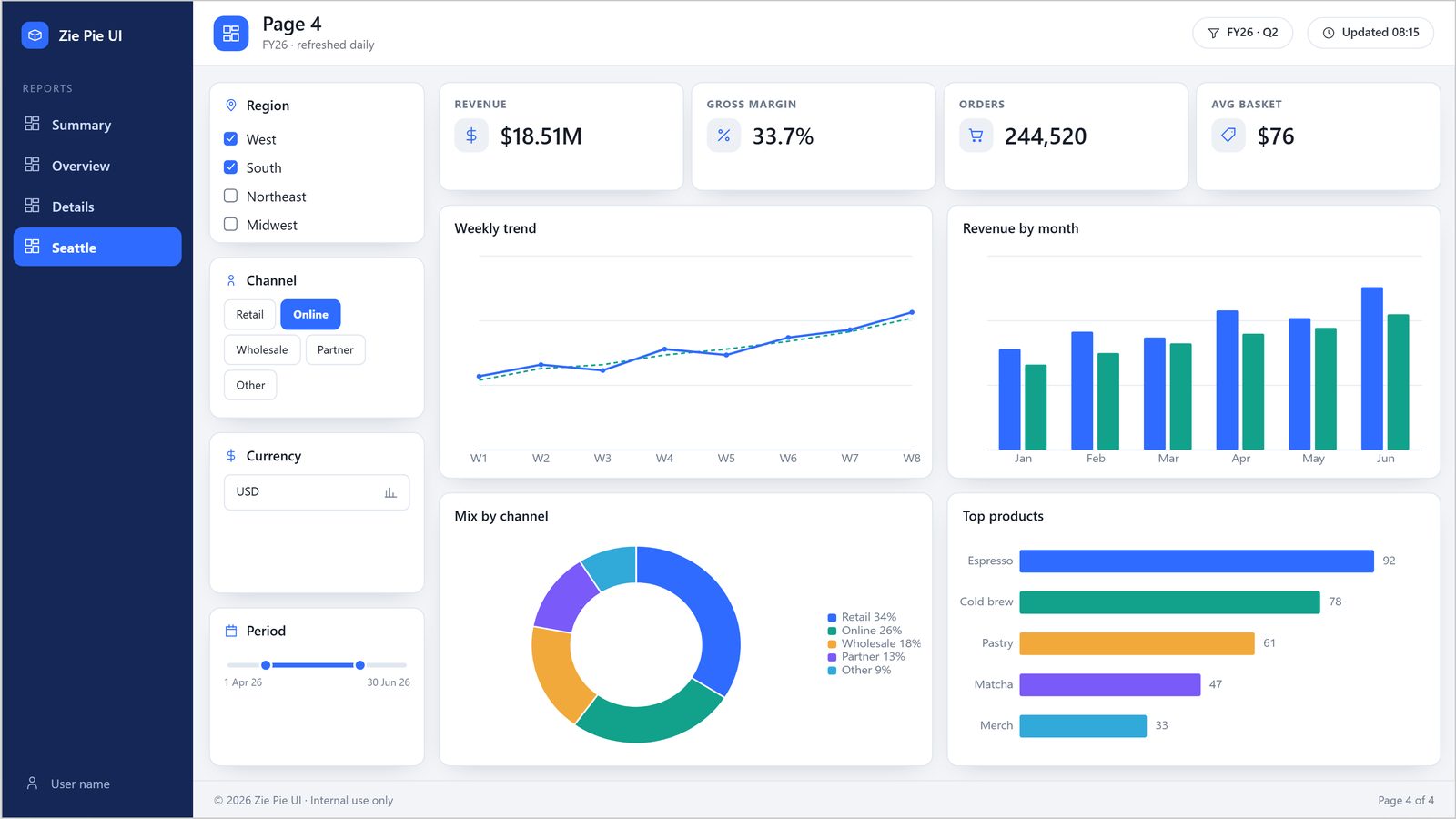
Every page is rendered at export quality and registered as the page background. Each element is placed over it as a live Power BI visual.
Northwind · Sales performance
Every page is rendered at export quality and registered as the page background. Each element becomes a live Power BI visual placed over it.
| Report | Pages | Size | Status | |
|---|---|---|---|---|
| Northwind · Sales performance | 2 pages | 421 KB | Ready | Download |
Northwind Sales performance.Report/
definition/
pages/
p11bcb…/ Overview
p1266c…/ Detail
StaticResources/
RegisteredResources/
Northwind Sales performance.SemanticModel/
definition/
tables/ 10-table star schema
- Unzip the download.
- In Desktop enable File → Options → Preview features → Power BI Project (.pbip) save option, restart once.
- Double-click the
.pbip. Pages, visuals and theme load; slicers filter on the sample model. - Replace the sample tables with your own in the model view and refresh.
Every feature on every plan. Pay for pages you export.
Start free with 15 pages — just your email, no credit card.
Free
- 15 export pages to start
- Valid 180 days
- Theme Studio, Report Builder, all 21 layouts and 12 themes
- Export any report to .pbip
Pro
- 100 export pages every month
- Top-up packs of 50 to 200 pages
- Pages extend 180 days with every payment
- Cancel and keep your remaining pages until they expire
What counts as a page? One report page, charged once when an export succeeds. Failed exports never charge, and re-downloading a finished export is free.
Questions before you try it
Short answers. Anything else, ask us.
Does the export open in Power BI Desktop?
Yes. It is a standard Power BI project (.pbip) with a Report folder and a SemanticModel folder. Download the sample above and open it.
Do I need my data first?
No. The export ships with a sample star-schema model so every visual and slicer works on open; swap in your tables afterwards.
What do I get for free?
15 export pages, valid for 180 days, and every feature — Theme Studio, Report Builder, all layouts and themes. Sign-up needs an email address, not a credit card.
What counts as a page?
Each report page in an export. A four-page report uses four pages, charged once when the export succeeds. Failed exports cost nothing and re-downloads are free.
Can I bring an existing theme?
Yes — import a theme.json into the library and edit it in Theme Studio.
What happens if I cancel Pro?
Nothing is locked. Pro stops at the end of the month you paid for, and your remaining pages stay usable until they expire.
Can my team share themes and reports?
Everything is saved to your firm and visible to the people you invite, governed by roles.
Are the visuals custom?
No. Every element is written as the matching native Power BI visual type. Nothing to install.
Talk to a person, not a queue.
Export questions, billing and pages, or a layout that didn’t open the way you expected.
- Emailsupport@ziepie.com
- If a .pbip didn’t openInclude your Power BI Desktop version and the error text — it saves a round trip.
- ZiePie LLCRedmond, Washington, USA
Theme it. Lay it out. Ship it to Power BI.
Start free with 15 export pages. No credit card.